
:fabrik
KLANG:fabrik creates individual immersive in-ear mixes for up to 16 musicians simultaneously. With super low latency and flexible I/O :fabrik elevates every monitoring experience.

DESCRIPTION

KLANG:fabrik combines the latest and finest HD audio algorithms with a multitude of flexible audio interfaces (i.e. MADI, Dante, compatible to optical ADAT) in order to work with professional mixing desks and stage boxes of any kind. Up to 16 musicians receive their individual immersive in-ear mixes with one KLANG:fabrik.
The mixes are sent back from KLANG:fabrik to radio transmitters or headphone amps via XLR, back to the ears of the musicians. Thanks to our high-performance processors, this can happen without any noticeable latency. Use our app on any device (iOS, Android, Windows or Mac), or the faders of your mixing desk to control KLANG:fabrik from where you are.
And there is more, KLANG:fabrik is at the same time fully flexible audio network router of up to 128 MADI inputs, 64 Dante inputs and 32 ADAT compatible inputs to up to 64 MADI outputs, 64 Dante outputs and 32 ADAT compatible outputs.
OVERVIEW
- Professional personal monitoring system
- Natural 3D sound through binaural technology
- Easily connect to your monitor console or rack mixer
- Digital I/O with powerful routing options:
- Dante | AES67 | MADI | ADAT comp.
- Up to 16 musicians per KLANG:fabrik
- Up to 56 input channels
- Root-Intensity EQs
- Remote control from DiGiCo SD consoles
TECHNICAL SPECIFICATIONS
- 16 x high-class balanced analog line level outputs
- 64 x 64 (128×0 switchable) channel optional MADI BNC interface (Input/Output)
- 64 x 64 channel Dante™ interface (Input/Output)
- 32 x 32 channel ADAT compatible (Input/Output)
- Word Clock (Input/Output)
- 2x redundant professional power supplies 100-240V
- 2x locking IEC power connectors
- Latency less than 3ms
- 96 kHz | 88.2 kHz | 48 kHz | 44.1 kHz
- Power consumption: max. 50 W
- Weight: 4.9 kg | 10.80 lbs | Size body (W / H / D): 44.5 / 9.0 / 23.0 cm
- Front panel (width): 48.5 cm | 19 inches | 2 RU
DOWNLOADS
Follow the links below to download the most recent KOS version for your device.
FAQS
Find our answers to questions that often come to mind when thinking about KLANG products and their integration into your setup. If you cannot find your particular question answered below, please leave us a message through our contact form. We will get back to you as soon as possible.
Can I go back to an older KOS version?

Yes. Older KOS versions are in the Legacy KOS section of the downloads. On second-generation devices (KLANG:1, KLANG:1 Pro, KLANG:vokal, KLANG:konductor and KLANG:kontroller), install an older version the same way as an update: drag the file onto KLANG:app and select only the devices you want to take back. KLANG:1 and KLANG:1 Pro can only go back as far as KOS 5.8. The other devices can go back further. We still recommend the current version. If you need a version that isn’t listed there, contact our tech support.
A KLANG:fabrik or KLANG:vier can’t be downgraded directly. Collect the logs first, then run the recovery (it erases the unit’s memory) and install the version you need.
What is the latency of a KLANG system?
Second-generation KLANG processors add 0.25 ms of processing latency: KLANG:konductor (without I/O cards), KLANG:vokal, DMI-KLANG, KLANG:1 and KLANG:1pro. It stays the same however many mixes you run. First-generation processors (KLANG:fabrik and KLANG:vier) stay below 3 ms including the immersive processing.
The total latency of your system also depends on how the audio travels: the Dante latency setting of each device, MADI and any conversion to analogue. A KLANG:quelle compact, for example, adds about 10 samples at 48 kHz for its D/A conversion on top of the Dante latency.
MADI or Optocore audio drops out, crackles or loses clock. What can I check?
Start with the software. KOS 6.0.9 brought new FPGA images for KLANG:konductor, KLANG:vokal and DMI-KLANG that fix audio artefacts, bit errors and audio loss after long uptimes on DMI-MADI and Optocore connections, and later releases fixed further clocking issues. Update every processor to the latest KOS from the downloads before you look at the setup. All fixes are listed in the release notes.
If MADI clock problems remain after the update, check these points:
- Use short, good-quality 75 ohm coax cables (RG59 type) for MADI and keep them away from video walls and other sources of interference.
- Run the console and the KLANG processor at the same sample rate.
- At 48 kHz a DMI-MADI card uses port A only. Two redundant cables can drift apart, so connect one cable or run the whole chain at 96 kHz.
Intermittent distortion often clears faster when you switch the clock source to Dante and back than with a reboot. If it comes back, collect the logs in KLANG:app as described in Collect Logs & Backup Settings and send them to our tech support with a short description of your setup.
How to separate Dante and Control with VLANs?
Learn how to separate KLANG control from Dante for 1st and 2nd generation KLANG products: VLANs on KLANG Processors | Overview
Learn how to configure the internal network switch of KLANG:vokal, KLANG:konductor and how to integrate KLANG:kontroller in a setup with separate Control and Dante networks/VLANs: Expert Network Settings & VLANs
Learn about how to configure the Dante Switch Configuration on KLANG:fabrik and KLANG:vier: VLANs /Dante switch configuration for KLANG:fabrik / KLANG:vier
Learn how to separate KLANG control from DiGiCo/Waves network here.
How many KLANG devices can be connected?
Depending on your input channel requirements and the number of mixes required, more than one KLANG device can be connected to the same control network. Input channels arriving on KLANG:fabrik e.g. via MADI, can be routed to other KLANG:fabrik and KLANG:vier (48kHz only). Dante input channels can be routed to as many receiving devices as needed. Depending on the network load Dante Multicast flows have to be used and managed, switches with proper IGMP snooping and QoS configuration should be used.
Most KLANG immersive processors can be configured to work in a cascade of units.
There is no limit other than your network limitation as to how many KLANG:fabrik and KLANG:vier can be added to your network. KLANG:app will show each KLANG device available on your network.
How many :apps can be connected to KLANG immersive processors?
Our products are designed and tested to be used with at least one :app or :kontroller per mix, plus two :apps for engineers. In most cases, it is possible to use even more apps; there is no fixed limit.
How do I back up all settings and collect log files from my KLANG system?
To back up all internal settings, show files (.KLANGshow), mix presets (.kup) and log files from every KLANG device and connected KLANG:app instance:
1. Open KLANG:app
2. Go to CONFIG > INFO > Collect All Logs
3. Wait until the button turns green
4. Click Save Logs as ZIP
5. Send the ZIP file to KLANG support if needed
This creates a full backup and troubleshooting package for your entire system.
Which file holds what (show file, snapshot, mix preset) and where each one is stored: Show Files, Snapshots & Mix Presets.
How do I protect mixes with a password?
It is now possible to enter a KOS Login Password. Users need to know this password to connect to the processor in Show or Admin mode. Follow this link for more details.
Can I protect channels from changes?
Yes, channels can be hidden in KLANG:app running musician or personal mode and on :kontrollers, and therefore be protected from changes. Follow this link for more details.
What’s the difference between 1st and 2nd generation KLANG devices?
The first two KLANG processors, namely :fabrik and :vier used the same hardware platform. These are the first generation (1st gen) KLANG processors and they both use the same KOS update files.
All processors developed after – :vokal, :vokal+, :konductor, DMI-KLANG – use a different hardware platform and are therefore called second generation (2nd gen) KLANG processors. The KLANG:kontroller is based on the same platform and uses the exact same KOS update files. The KOS firmware files for the 2nd generation processors are the same.
KLANG:quelle XDM uses a completely different firmware and hence update files.
KLANG:app has a built-in update system for Over-the-Air updates. It automatically downloads the correct firmware files from the internet and installs it on the device.
Both generations are compatible with the same KLANG:app and Show files can be exchanged between 1st and 2nd generation processors as well.

DESCRIPTION
KLANG:fabrik combines the latest and finest HD audio algorithms with a multitude of flexible audio interfaces (i.e. MADI, Dante, compatible to optical ADAT) in order to work with professional mixing desks and stage boxes of any kind. Up to 16 musicians receive their individual immersive in-ear mixes with one KLANG:fabrik.
The mixes are sent back from KLANG:fabrik to radio transmitters or headphone amps via XLR, back to the ears of the musicians. Thanks to our high-performance processors, this can happen without any noticeable latency. Use our app on any device (iOS, Android, Windows or Mac), or the faders of your mixing desk to control KLANG:fabrik from where you are.
And there is more, KLANG:fabrik is at the same time fully flexible audio network router of up to 128 MADI inputs, 64 Dante inputs and 32 ADAT compatible inputs to up to 64 MADI outputs, 64 Dante outputs and 32 ADAT compatible outputs.
APPLICATIONS
KLANG’s cutting-edge, immersive products can dramatically elevate the quality of in-ear monitoring in any and every application. Our range has a solution for every scenario.
HOUSE OF WORSHIP

House of Worship
Every house of worship, regardless of its unique audio setup, ideally needs a flexible in-ear mixing solution that can adapt to a wide variety of scenarios. KLANG will effortlessly meet every requirement.
https://www.klang.com/house-of-worship/TOUR SOUND

Touring
From intimate live performance venues to sold out stadiums and all points in between, KLANG elevates in-ear monitoring to the next level for musicians and engineers alike.
Learn MoreMUSICIANS

Musicians
In-ear monitoring should deliver an excellent listening experience, and protect hearing. KLANG delivers a natural and intuitive placement of pristine audio that keeps the focus firmly on the art and not the monitor sound.
Learn MoreTHEATRE

Theatre / Musical
Classical musicians using traditional in-ear monitoring often complain of being boxed-in or detached from the wider performance. From a local theatre production to a full-scale Broadway musical, KLANG’s immersive solution effortlessly overcomes these issues.
Learn MoreSTUDIO

Studio / Broadcast
Every production depends on happy customers achieving the best possible results, and a successful performance relies first and foremost on confident musicians playing in a relaxed space. KLANG helps to create the right environment.
Learn More
House of Worship
Every house of worship, regardless of its unique audio setup, ideally needs a flexible in-ear mixing solution that can adapt to a wide variety of scenarios. KLANG will effortlessly meet every requirement.
Learn More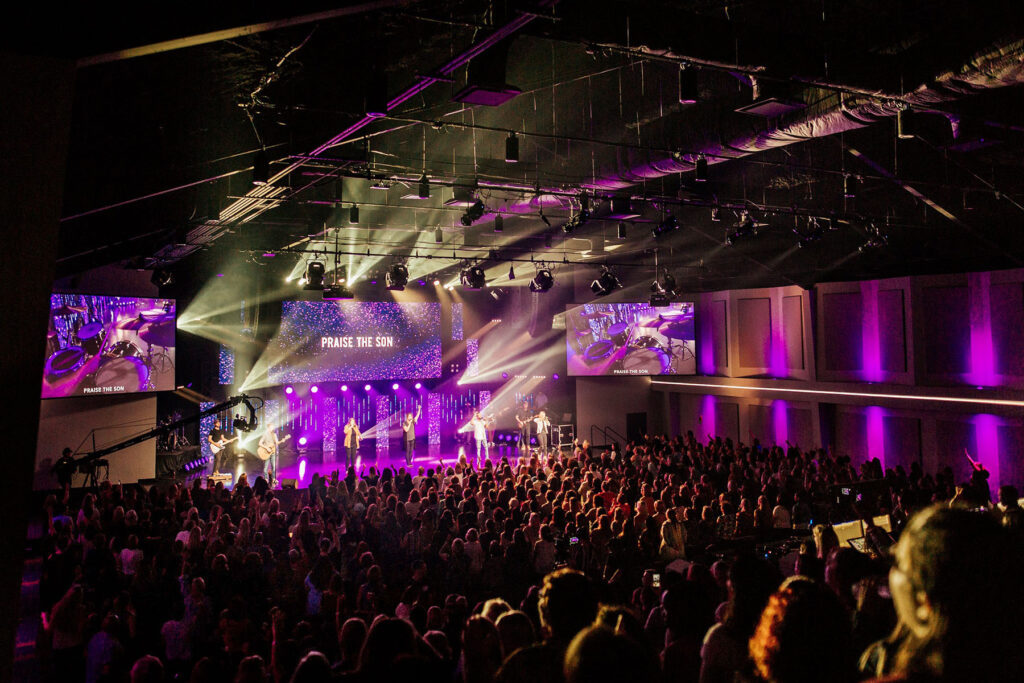


Testimonials
See all testimonialsSupport, Guides, Tech specs and webinars
Watch tutorial videos or download technical documentation.
Support documentsThe ecosystem

Console Integration
We Told You So | Lightning Fast Setup The powerful workflow integration with DiGiCo SD/Quantum consoles lets the monitor engineer take advantage of fully working on their consol…
:vokal
Immersive IEM Processor with maximum flexibility and user friendliness for installations in HoW and Theater…